
Run It Your Way: How John Deere Digital Tools Help You Reduce Downtime and Take Control of Fleet Management
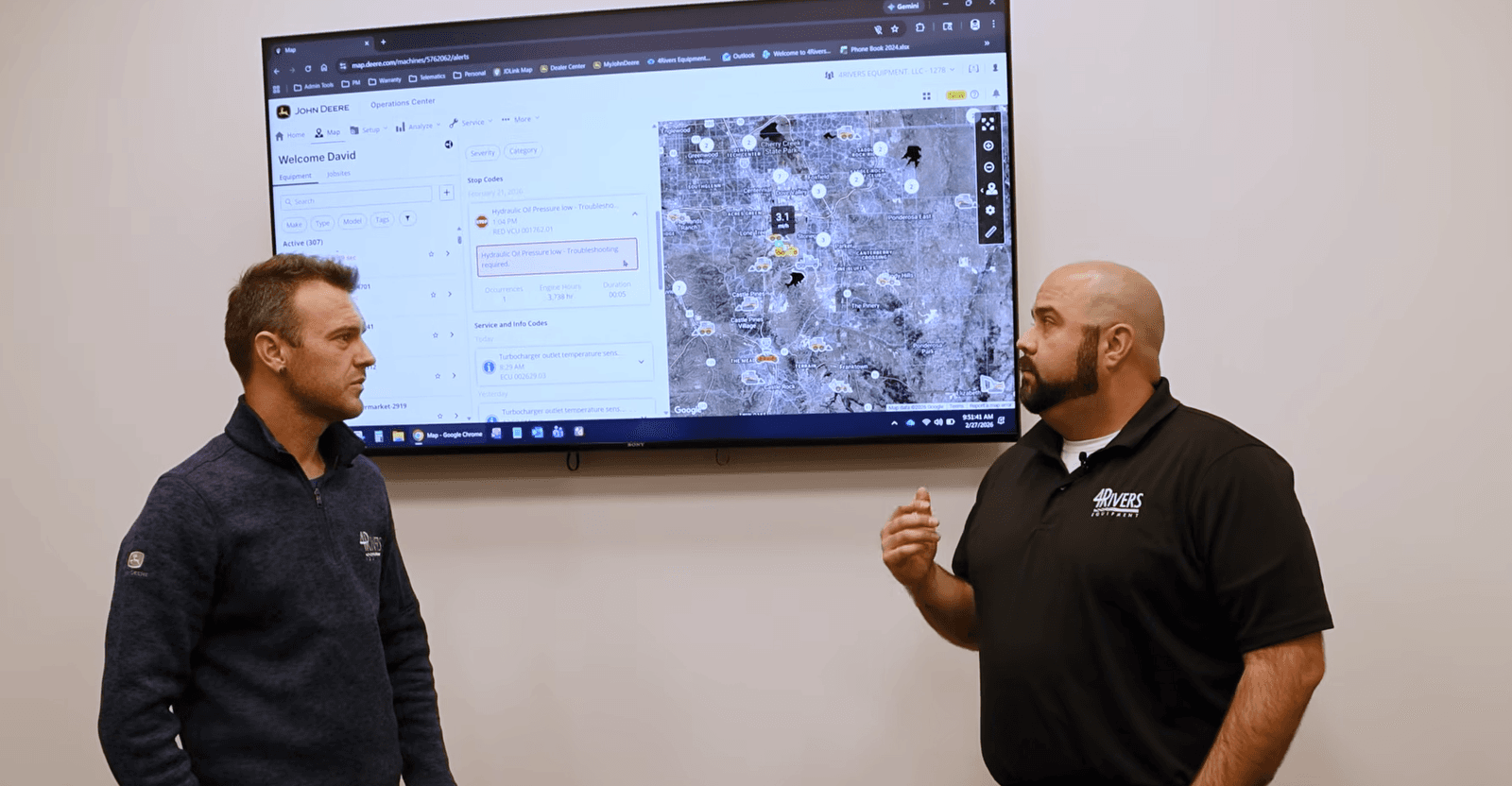
John Deere's Run It Your Way initiative gives equipment owners more visibility, more control, and more flexibility in how they manage, maintain, and repair their machines. With tools like John Deere Operations Center™ and Operations Center ProService™, you can monitor machine health, track utilization, plan maintenance, troubleshoot issues faster, and reduce costly downtime, whether you operate one machine or an entire fleet.
At 4Rivers Equipment, we've worked alongside equipment owners for decades, helping customers maximize uptime and get the most from their John Deere investments. Our Connected Support team works with these digital solutions every day, helping customers turn machine data into actionable decisions that keep equipment working in the field instead of sitting in the shop.
What Does John Deere's "Run It Your Way" Initiative Mean for Equipment Owners?
John Deere's Run It Your Way initiative is designed to give equipment owners greater access to the information and tools they need to manage, maintain, and repair their equipment on their terms.
The goal is simple: help owners make informed decisions while reducing downtime and increasing productivity.
Whether you're managing a single compact construction machine or overseeing a large fleet of agricultural, turf, or construction equipment, John Deere's digital ecosystem delivers visibility into machine performance, maintenance needs, and operating costs.
How Does John Deere Operations Center™ Help Manage Equipment?
John Deere Operations Center™ serves as the central hub for machine and fleet management.
For customers with JDLink™-equipped machines, Operations Center provides powerful capabilities at no additional cost, helping operators and fleet managers stay connected to their equipment from virtually anywhere.
Key Features of John Deere Operations Center
With Operations Center, you can:
- Monitor machine health in real time
- Track machine utilization and productivity
- View fuel consumption data
- Analyze idle time and operating efficiency
- Schedule preventive maintenance
- Receive automated service reminders
- Access diagnostic alerts and machine notifications
- Manage equipment across multiple locations
- Improve visibility across your entire fleet
Instead of waiting for problems to interrupt your workday, Operations Center helps you identify potential issues before they become major repairs.
How Can Machine Health Monitoring Reduce Downtime?
Unexpected downtime can be one of the most expensive challenges equipment owners face.
John Deere Operations Center helps address that challenge through machine health monitoring and diagnostic alerts that provide insight into equipment performance.
Machine Health Insights
Machine Health Insights can help identify:
- Emerging performance issues
- Active diagnostic trouble codes (DTCs)
- Maintenance items that require attention
- Trends that may indicate future failures
- Opportunities to improve machine utilization
At 4Rivers Equipment, our Connected Support specialists actively monitor machine data when customers opt into Connected Support services. This allows our team to identify concerns early and help coordinate service solutions before minor issues become major disruptions.
Why Is Tracking Utilization, Fuel Consumption, and Idle Time Important?
Many equipment owners focus on repair costs, but operating costs can have just as much impact on profitability.
Operations Center provides detailed reporting that helps you understand:
Machine Utilization
- Which machines are being used most frequently
- Whether equipment is appropriately assigned
- Opportunities to improve fleet efficiency
Fuel Consumption
- Fuel usage trends across machines
- Potential inefficiencies
- Areas where operator habits may affect costs
Idle Time Analysis
- Excessive machine idling
- Opportunities to reduce fuel waste
- Ways to decrease unnecessary wear and tear
These insights help owners make data-driven decisions that improve productivity and lower operating expenses.
How Does Maintenance Planning Help Prevent Equipment Failures?
Preventive maintenance remains one of the most effective ways to avoid costly downtime.
Operations Center simplifies maintenance planning by automatically tracking service intervals and generating reminders based on machine hours and operating conditions.
Benefits of Automated Maintenance Tracking
- Stay on schedule for routine service
- Reduce the risk of missed maintenance intervals
- Improve equipment reliability
- Extend machine lifespan
- Better plan service downtime around operational needs
Our service teams regularly work with customers to align maintenance schedules with seasonal demands, helping minimize disruptions during critical operating periods.
What Is Operations Center ProService™?
For equipment owners who want greater access to service and repair information, Operations Center ProService™ provides advanced diagnostic and troubleshooting capabilities.
This powerful platform gives owners and technicians access to many of the same resources used by dealership service professionals.
Operations Center ProService Features
Users can access:
- Step-by-step troubleshooting guides
- Service manuals
- Electrical and hydraulic schematics
- Diagnostic trouble code information
- Controller programming tools
- Machine calibrations
- Repair procedures
- AI-assisted diagnostic support
These resources help equipment owners and maintenance teams diagnose issues more efficiently and make informed repair decisions.
How Does Operations Center ProService Help Equipment Owners?
The ability to quickly identify and address equipment issues can significantly reduce downtime.
ProService helps owners:
- Troubleshoot problems faster
- Improve communication with service providers
- Access critical repair information
- Better understand machine systems
- Reduce delays caused by diagnosis and research
For fleets with in-house maintenance teams, ProService can become an important resource for improving repair efficiency and asset management.
How Can You Manage User Permissions Across Your Organization?
Many businesses have multiple operators, managers, technicians, and decision-makers who need access to equipment information.
Operations Center allows administrators to manage user permissions and control access levels throughout their organization.
This helps:
- Protect sensitive machine data
- Assign appropriate user roles
- Improve accountability
- Maintain operational visibility
- Streamline fleet management processes
Whether you're managing a family operation or a large multi-location business, permission controls help ensure the right people have access to the right information.
How Does 4Rivers Equipment Help Customers Get More Value from John Deere Digital Tools?
Technology is most valuable when you have a knowledgeable team to help you use it effectively.
Our Connected Support team works directly with customers to:
- Set up and optimize Operations Center accounts
- Review machine health data
- Monitor diagnostic alerts
- Help interpret machine information
- Coordinate service support when needed
- Provide guidance on digital tool adoption
Because we work with these systems every day, we can help customers unlock the full value of their connected equipment and improve fleet performance.
Take Greater Control of Your Equipment with John Deere Digital Solutions
John Deere's Run It Your Way initiative gives equipment owners more control over how they monitor, maintain, and manage their machines. From machine health monitoring and maintenance planning to advanced diagnostics and repair resources, Operations Center and Operations Center ProService help businesses improve efficiency and minimize downtime.
Whether you're operating a single skid steer or managing an entire fleet, these tools provide the information needed to make smarter maintenance and operational decisions.
If you'd like help getting started with Operations Center, ProService, or any John Deere digital solution, the 4Rivers Equipment Connected Support team is here to help.
📧 Contact the 4Rivers Connected Support Team:
OpsCenter@4riversequipment.com
Common Questions About John Deere Operations Center and ProService
Is John Deere Operations Center free?
Yes. Operations Center is available at no additional cost for eligible JDLink™-equipped machines, providing access to machine monitoring, maintenance planning, reporting, and fleet management tools.
What is Operations Center ProService?
Operations Center ProService is an advanced diagnostic and repair platform that provides access to troubleshooting guides, service manuals, schematics, calibrations, controller programming, and AI-assisted diagnostic tools.
Can Operations Center help reduce equipment downtime?
Yes. By monitoring machine health, tracking diagnostic trouble codes, and providing maintenance reminders, Operations Center helps identify issues early and supports proactive maintenance strategies.
Who can use John Deere Operations Center?
Operations Center is designed for equipment owners, operators, fleet managers, service managers, and maintenance personnel across agriculture, construction, landscaping, and other equipment-intensive industries.
Does 4Rivers Equipment provide support for Operations Center?
Yes. Our Connected Support team helps customers set up accounts, monitor machine health, understand diagnostic information, and maximize the value of John Deere connected technologies.
What types of equipment can be managed in Operations Center?
Operations Center can help manage a wide range of John Deere equipment, including tractors, combines, sprayers, compact construction equipment, skid steers, loaders, excavators, and other JDLink-enabled machines.